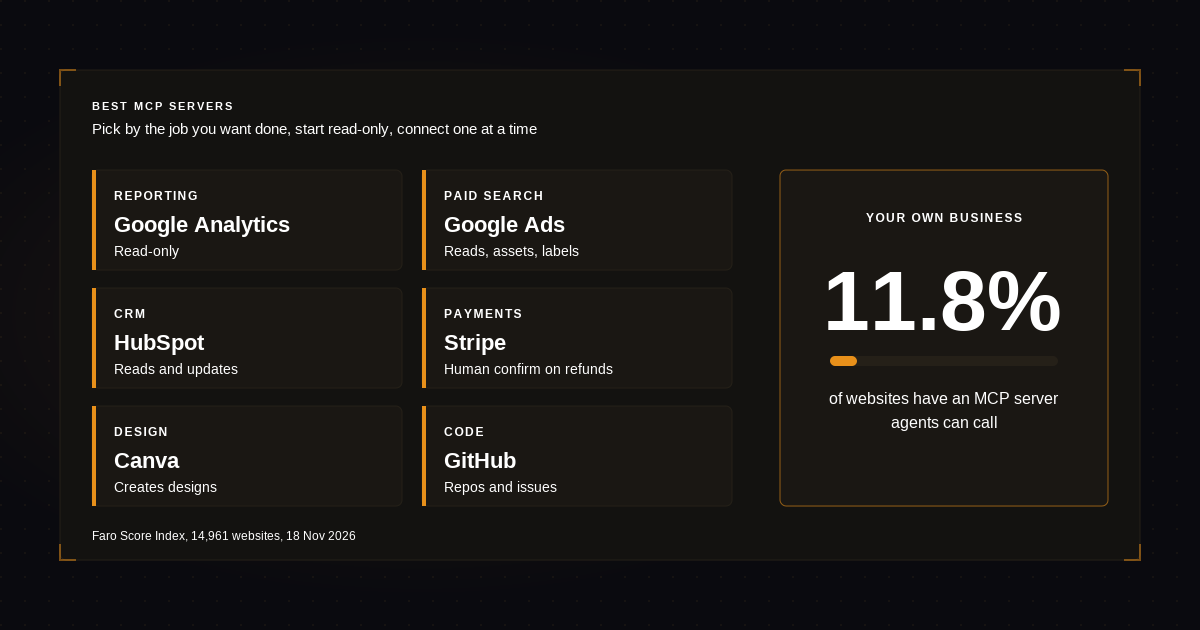
The best MCP servers for most businesses are the official ones built by the tools you already pay for: Google Analytics and Google Ads for reporting, HubSpot for your CRM, Stripe for payments, Canva for design, Shopify for your store, plus a handful of developer servers if you have a technical team. Pick by job, connect one at a time, and start read-only.
There is a second half to that answer. MCP servers let an AI agent use other companies' tools; your customers' agents need one for yours. If no server exists for your own business yet, our free MCP server generator builds a starter server and the card that tells agents where to find it, in about a minute.
Key takeaways
- Choose MCP servers by the job you want done (report, update the CRM, refund a payment), not by star counts on a list.
- Official, vendor-run servers beat community copies for anything that touches customer data or money. Most now run remotely and sign in with OAuth.
- Start read-only. Google's Analytics server is read-only by design; Stripe asks a human to confirm actions such as refunds.
- In the Faro Score Index (14,961 sites, 18 Nov 2026), only 11.8% of websites have an MCP server of their own. Agents can use your suppliers' tools long before they can use yours.
- Run the safety checklist below before you connect anything that can write data.
What is an MCP server, in plain English?
An MCP server is a small connector that lets an AI assistant such as Claude, ChatGPT or Cursor read from and act in another piece of software. It lists the actions it offers, the assistant picks one, and the server does the work through that product's own API, with your permission and your login.
MCP stands for Model Context Protocol, an open standard that the official MCP documentation describes as a common way to connect AI applications to outside systems. Think of it as a universal plug. Before it existed, every AI tool needed its own custom integration with every app. Now one HubSpot server works with any assistant that speaks MCP.
Two words come up constantly. A local server runs on your own computer and usually needs a developer to install it. A remote server is hosted by the vendor on the internet; you paste a URL into your assistant and sign in. The MCP guide to remote servers explains that remote servers are reachable from anywhere, which is why they suit non-technical teams. If you want the longer business version, our MCP for business guide covers the why, and the MCP vs API comparison covers how the two fit together.
How we picked these MCP servers
We picked servers a marketer, owner or small team can put to work this month. Each one had to be run by the vendor or the vendor's documented project, have current setup docs, solve a distinct job, and offer a safe starting mode. We skipped clever demos and abandoned community repos, however popular.
Four tests, in order of weight:
- Who runs it. Official beats community for anything with customer data, money or ad spend.
- What it can change. Read-only servers are low risk. Servers that create, update or delete records need a plan.
- How you sign in. OAuth (a login screen) is safer than pasting a secret key into a config file.
- Whether the docs are current. MCP moved fast in 2026. The specification itself has a dated version, and the current authorization spec sets out how servers should handle sign-in.
The best MCP servers at a glance
This table sorts the picks by the job they do. Read and write tell you what the server can change; "official" means the vendor runs or documents it. Start with the row that matches the task you repeat most often, connect that one server, and use it for a week before adding another.
| Job | Server | Can it change data? | Run by | Best for |
|---|---|---|---|---|
| Website reporting | Google Analytics MCP | Read-only | Marketers, owners | |
| Paid search | Google Ads MCP | Reads; creates assets, uploads videos, manages labels | PPC managers | |
| CRM and pipeline | HubSpot remote MCP | Reads; creates and updates contacts, companies, deals, tickets | HubSpot | Sales and marketing teams |
| Payments and billing | Stripe MCP | Reads and writes; some actions need human confirmation | Stripe | Owners, finance, SaaS |
| Design | Canva MCP | Creates and edits designs | Canva | Content and social teams |
| Online store | Shopify MCP servers | Depends on the server | Shopify | Store owners, developers |
| Docs and wikis | Notion MCP | Reads and writes pages | Notion | Teams that live in Notion |
| Everything else | Zapier MCP | Whatever the connected app allows | Zapier | Apps with no server of their own |
| Code | GitHub MCP | Reads and writes repos, issues, pull requests | GitHub | Developers |
| Browser tasks | Playwright MCP | Clicks and types in a browser | Microsoft | Developers, QA |
| Up-to-date library docs | Context7 | Read-only | Upstash | Anyone coding with AI |
| Database and backend | Supabase MCP | Reads and writes | Supabase | Developers |
| Errors and monitoring | Sentry MCP | Mostly reads | Sentry | Developers |
Which MCP servers help with marketing and reporting?
For marketing, the strongest MCP servers are Google's two official ones. The Google Analytics server answers questions about your traffic and sales in plain English, and the Google Ads server reads campaigns and handles assets and labels. Together they replace a lot of exporting to spreadsheets just to answer one question.
Google Analytics MCP. Google's Analytics MCP documentation says the server lets you query reports in natural language, inspect property settings and build custom analytics agents, and that it is for read requests only: it cannot create, change or delete your Analytics settings. That makes it the safest first server on this list. Ask "which landing pages lost the most conversions last month" and get an answer without opening the reports menu. Setup still needs a Google Cloud project and Python, so budget an hour or ask whoever set up your Analytics.
Google Ads MCP. The Google Ads MCP integration guide describes a bridge to the Google Ads API that lets agents retrieve and analyse account data, create assets, upload videos and manage labels. Treat it as a reporting tool first. Let it pull search terms and spend, and keep bid and budget changes in your own hands until you trust its work.
Canva MCP. Canva runs an official server that lets an assistant create and edit designs inside your Canva account. Useful for turning a brief into ten social sizes; less useful for anything that needs a designer's eye.
A soft warning on reporting servers: an AI summary of your analytics is only as good as the question. Ask for the numbers and the date range back, and spot-check one figure against the report before you share it.
Which MCP servers help with sales, payments and your store?
For sales and money, the picks are HubSpot's remote server for your CRM, Stripe's server for payments and billing, and Shopify's servers for a store. All three are run by the vendor and sign in through your existing account, which matters more here than anywhere else because these servers can change records.
HubSpot remote MCP. HubSpot made its remote server generally available on 13 April 2026, according to the HubSpot developer changelog. It reads CRM records, marketing content and activities, and it can create and update contacts, companies, deals, tickets, line items and products. Every connection uses OAuth 2.1 with PKCE, and people can only see or edit what their HubSpot permissions already allow. That last point is the reason to prefer it over a community copy.
Stripe MCP. The Stripe MCP documentation shows a hosted server at one URL that works with Claude, ChatGPT, Cursor, VS Code and other clients. It searches Stripe's docs, reads and writes through the Stripe API, and flags certain actions, such as creating a refund, for human confirmation in the Dashboard before they run. One date to note: Stripe says that from December 2026 its MCP server stops accepting full-access secret keys and untagged restricted keys, so anyone connected with an old key needs to switch to OAuth or an agent API key by 30 November 2026.
Shopify MCP servers. Shopify publishes MCP servers for developers building on the platform and for storefront experiences. If you run a store, the bigger question is the reverse one: can a shopping agent read your products and buy from you? Our guide to which online stores AI agents can buy from covers that side.
Not sure whether AI tools can even read your own site's products, prices and policies? The free AI visibility checker shows what ChatGPT, Claude and Gemini can see on your site in about 30 seconds.
Which MCP servers do developers rely on?
Developers mostly start with GitHub's official server for code and issues, Context7 for current library documentation, Playwright for driving a real browser, and then a server for their database and error tracking, such as Supabase and Sentry. These cover the daily loop of reading code, checking docs, testing pages and fixing bugs.
- GitHub MCP: reads repositories, opens issues and pull requests, reviews changes. The default for any team on GitHub.
- Context7: feeds version-specific library docs to the assistant, which cuts the "that function does not exist" problem.
- Playwright MCP: Microsoft's server that lets an agent click, type and take snapshots in a browser. Good for testing forms and checkout flows.
- Supabase MCP: reads and changes a Supabase project. Point it at a development project, not production.
- Sentry MCP: pulls errors and traces into the conversation so the assistant can suggest a fix with the stack trace in front of it.
- Reference servers: the MCP project's own filesystem, fetch and memory servers are small, well documented starting points for learning how servers behave.
If your developers want to go further and publish a server for your own product, our step-by-step guide on how to build an MCP server walks through it, including the no-code route.
Is there an MCP server for my own business?
Probably not yet. In the Faro Score Index of 14,961 websites, checked on 18 November 2026, 11.8% have a detectable MCP server, 9.8% publish an OpenAPI specification and 0.2% register WebMCP tools in the browser. Most businesses can use other companies' servers but offer none of their own.
That gap matters because MCP works in both directions. The servers above let your team's assistant work in HubSpot or Stripe. A server for your business lets a customer's assistant check your availability, get a quote or book, without a person filling in a form. As agents start doing more of the shopping and booking (our explainer on the agentic web covers where this is heading), the businesses with a server are the ones an agent can complete a task with.
| What agents look for (Score Index, 14,961 sites, 18 Nov 2026) | Sites that have it |
|---|---|
| MCP server (card or live endpoint) | 11.8% |
| Public API or developer documentation | 16.3% |
| OpenAPI specification | 9.8% |
| agents.json capability file | 7.4% |
| WebMCP tools registered in the browser | 0.2% |
You have three ways in. Use the free MCP generator to get a starter server and its discovery card. Add an agents.json file so agents know what you offer. Or, if your bookings and quotes happen on web pages, run the WebMCP readiness check to see whether a browser agent can use your forms.
How do you add an MCP server to Claude or ChatGPT?
For a remote server, you copy the vendor's server URL, add it as a connector or custom MCP server in your assistant's settings, and sign in when the login window appears. Local servers need a config file and a developer. Vendors with an official listing let you skip the URL and click connect.
- Find the official URL in the vendor's documentation, never from a forum post. Stripe's, for example, is listed on its MCP page.
- Add it to your assistant. In Claude, remote servers are added as custom connectors; the MCP project's remote server guide uses Claude as its worked example. In ChatGPT, Codex and Cursor, look for MCP or connector settings.
- Sign in with OAuth and read the permission screen. Grant the narrowest access offered, and pick a test or sandbox account where one exists.
- Turn on tool approval so the assistant asks before each action. Stripe recommends this in its own docs.
- Test with a read question ("list my last five invoices") before you ask it to change anything.
Common mistakes when connecting several MCP servers
The most common mistakes are connecting too many servers at once, giving write access on day one, and trusting community servers with real credentials. Each extra server adds tools the assistant must choose between, and a wrong choice on a server that can write is a real change to a real record.
- Too many tools. Ten servers can expose hundreds of tools. The assistant gets slower and more likely to pick the wrong one. Connect what the task needs, disconnect the rest.
- Prompt injection across servers. A web page or document read by one server can contain text that tries to make the assistant act through another. Stripe's docs warn about exactly this when MCP servers are combined.
- Secret keys in config files. Prefer OAuth. If a key is unavoidable, use one scoped to the task, like Stripe's agent API keys.
- Look-alike servers. Search results and directories list unofficial copies with similar names. Install from the vendor's own docs.
- No owner. Someone on the team should know which servers are connected and review the access list monthly.
A safety checklist before you connect any MCP server
Run these eight checks before you connect a server that can see customer data or spend money. They take ten minutes and catch most of the avoidable problems: unofficial servers, keys with too much power, and assistants allowed to act without asking first. Copy the list into your team wiki and use it for every new server.
- [ ] The server URL comes from the vendor's own documentation.
- [ ] Sign-in is OAuth, or a key scoped to only the actions needed.
- [ ] It starts in a test, sandbox or read-only mode where one exists.
- [ ] Tool approval is on in your assistant, so every action is shown before it runs.
- [ ] You know which actions can change data, and who will review them.
- [ ] No more than two or three servers are active in the same conversation.
- [ ] The connection is listed somewhere the team can see, with an owner.
- [ ] You know how to revoke it (Stripe and HubSpot both list sessions you can end).
Frequently Asked Questions
What are the best MCP servers for marketing?
The best MCP servers for marketing are Google Analytics (read-only reporting), Google Ads (account data, assets and labels), HubSpot (CRM and marketing content) and Canva (design). Start with Google Analytics, because it cannot change anything, then add HubSpot once you know which records you want the assistant to update.
Are MCP servers safe to connect?
Official MCP servers from the vendor are as safe as the access you grant them. Use OAuth sign-in, start read-only or in a sandbox, keep tool approval on, and avoid combining many servers in one conversation. Community servers that ask for full secret keys carry the most risk.
How do I add an MCP server to Claude or ChatGPT?
Copy the official remote server URL from the vendor's docs, add it as a connector or custom MCP server in your assistant's settings, then sign in through the login window. Local servers need a config file on your computer and are usually set up by a developer.
Can I run several MCP servers at once?
Yes, assistants can use several MCP servers in the same session, but more is not better. Each server adds tools the assistant must choose between, which slows it down and raises the chance of a wrong action. Connect the two or three a task needs and disconnect the rest.
Do I need to code to use an MCP server?
No, not for remote servers. Most official ones now work by pasting a URL and signing in, or by clicking connect in a directory. Local servers, and building a server for your own business, still involve some technical work, though generators and templates have cut that to minutes.
What is the difference between a local and a remote MCP server?
A local MCP server runs on your own computer and talks to the assistant installed there. A remote MCP server is hosted by the vendor on the internet, so it works from any device and any assistant that supports remote servers. Remote servers suit non-technical teams; local ones suit developers.
What to do next
Pick one job you repeat every week, connect the official server for it in read-only mode, and run the safety checklist first. For most marketers that is Google Analytics; for sales teams it is HubSpot. Give it a week before you add a second server or allow any writes.
Then look at your own side of the plug. Only about one site in nine has an MCP server today, so a customer's AI agent can use your suppliers' tools but probably not yours. The free MCP server generator gives you a starter server and the discovery card in about a minute, and the AI visibility checker shows what agents can already read on your site. Pair it with the free OKF generator, which bundles your pricing, team and API docs into the machine-readable format agents read before they call any server.