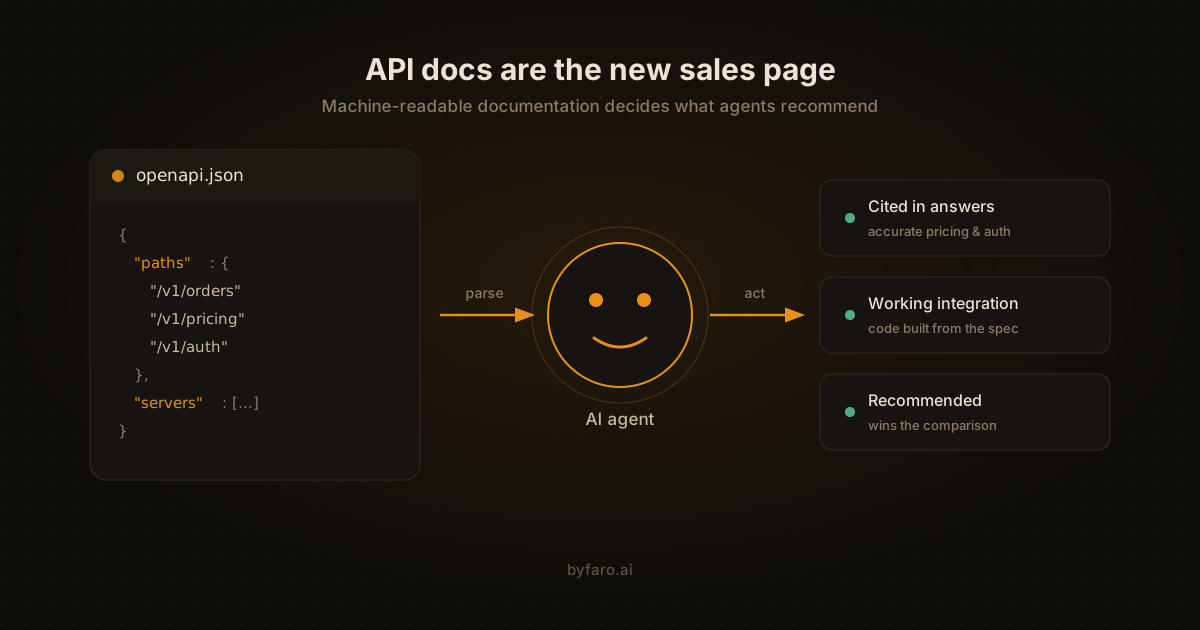
If an AI agent can't parse your API documentation, it can't recommend your product, can't integrate with it, and can't complete a purchase through it. That's the whole stakes, and it only gets sharper as more of what counts as agent commerce readiness comes down to whether an agent can actually execute against your API, not just read about it. Your docs used to be a resource for developers who'd already chosen you. Now they're an evaluation surface that machines read before any human hears your name.
This shift is easy to miss because the traffic doesn't look dramatic. An agent fetches your docs page, parses what it can, and moves on in seconds. No session recording, no heatmap, no demo request. But the outcome of that visit decides whether you show up in the answer when someone asks “which invoicing API should we use?” And most API documentation fails that test in ways the publishing team never sees.
Key takeaways
- AI agents read API documentation in 2 modes: retrieval, where they extract claims, and execution, where they try to call your API.
- Publish your OpenAPI spec at a stable public URL first; if you already have one internally, publishing it is an afternoon of work.
- Check the robots.txt on your docs subdomain, which often blocks GPTBot or ClaudeBot even when the main site allows them.
- Put pricing and rate limits in plain text, so an agent can quote them.
- An MCP server complements public API docs; it does not replace them.
How Do AI Agents Actually Read API Documentation?
AI agents read API documentation in 2 modes. In retrieval mode, a model fetches your pages and extracts claims about what the API does, what it costs, its auth and its rate limits. In execution mode, a coding agent tries to call your API and needs a machine-readable contract such as an OpenAPI spec.
Agents read docs in two modes, and they reward different things.
The first mode is retrieval. When a user asks ChatGPT, Claude, or Perplexity to compare tools, the model fetches candidate pages and extracts claims: what the API does, what it costs, what auth it uses, what the rate limits are. In this mode, your documentation competes on clarity and extractability. Prose that answers questions directly gets quoted; marketing copy that circles the point gets skipped.
The second mode is execution. Coding agents and autonomous workflows don't just summarize your API; they try to call it. Here the agent needs a machine-readable contract: an OpenAPI specification, accurate endpoint schemas, working code samples, and error responses that mean what they say. A beautiful docs site with no spec file is like a restaurant with a lovely menu and no kitchen.
Most companies optimize for a third audience that's shrinking: the patient human developer who reads docs top to bottom. That developer still exists (we've met at least two), but an increasing share of documentation traffic is machines, and machines don't read top to bottom. They fetch, extract, and leave.
What changes between human-friendly and machine-friendly docs?
Machine-friendly docs are stricter versions of good human docs. Agents need an OpenAPI spec at a stable URL, self-serve authentication with no sales gate, pricing and rate limits as numbers in text, complete runnable code samples, every error documented, and docs linked from llms.txt, the sitemap and the homepage.
Faro's own scans point the same way: of the 2,495 sites in the Faro Registry with a result for this check (scanned August 2026 to October 2026), 11% publish an OpenAPI spec. The registry is the set of sites Faro has scanned, not a random sample of the web.
The good news: machine-friendly docs are mostly just stricter versions of good docs. The table below shows where the standards diverge.
| Element | Fine for humans | Required for agents |
|---|---|---|
| API reference | Rendered HTML pages | OpenAPI/JSON spec at a stable, linked URL |
| Authentication | “Contact us for API access” | Self-serve keys, documented auth flow, no sales gate |
| Pricing | “See our pricing page” | Explicit numbers, rate limits, and tier boundaries in text |
| Code samples | Screenshots or partial snippets | Complete, copyable, runnable examples in real languages |
| Errors | “Returns an error” | Every status code, error shape, and retry guidance documented |
| Discovery | Docs linked from the footer | Linked from llms.txt, sitemap, and homepage; crawlable by AI bots |
Notice the pattern. Agents punish ambiguity and gating. A human developer will email you to ask about rate limits. An agent won't. It fills the gap with whatever your competitor documented clearly, and your product quietly drops out of the comparison.
Which fixes should you ship first?
Here's what to ship, ordered by impact per hour of effort. The fixes aren't exotic. They're just rarely done in this order.
- Publish your OpenAPI spec at a stable URL. Not behind a login, not generated on demand, not inside a JavaScript bundle. A plain
openapi.jsonoropenapi.yamlthe agent can fetch directly. If you have a spec internally (most teams do), publishing it is an afternoon of work. - Unblock AI crawlers on your docs subdomain. Docs often live on a separate subdomain with its own
robots.txt, and that file frequently blocks GPTBot or ClaudeBot even when the main site allows them. Check both. Faro's robots.txt analyzer reads the file the way an AI crawler does and flags exactly this. - Put pricing and rate limits in plain text on the docs. Numbers, not links to a pricing page rendered by JavaScript. If your free tier allows 1,000 calls a month, say so in a sentence an agent can quote. Our pricing audit tool checks whether machines can extract your plans at all.
- Document authentication end to end. How to get a key, what header it goes in, how tokens expire, what a 401 looks like. Agents attempting integration fail here more than anywhere else, and they fail silently.
- Make every code sample complete. A snippet that assumes an undeclared variable is a snippet an agent can't run. Full request, full response, real field names.
- Add structured data to doc pages. TechArticle or
APIReferencemarkup in JSON-LD helps retrieval systems classify and rank your pages. Google's structured data documentation covers implementation; the same markup serves AI systems beyond Google. - Reference your docs from llms.txt. Your llms.txt file should link the API reference, the spec file, and the quickstart. It's the orientation map an agent reads before deciding which pages deserve a full fetch. Generate one in a few minutes with the Faro llms.txt generator.
Not sure where your docs stand? Run a free AI visibility scan. It checks API discoverability, crawler access, structured data, and pricing transparency in about a minute, and tells you which of the seven fixes above applies to your site.
What About MCP?
The Model Context Protocol is the layer above documentation: instead of an agent reading your docs and writing its own integration, an MCP server hands the agent ready-made tools. If you ship one, your documentation burden shifts toward describing the tools well, because tool descriptions are documentation that executes. Faro's OKF Generator covers the middle ground: a structured, machine-readable file of your business and product facts for agents that read before they ever reach your docs or call a tool.
But MCP doesn't replace public API docs, and treating it as a substitute is a mistake we're starting to see. Retrieval-mode agents (the ones deciding whether to recommend you) still read the docs site. Our prediction: within a year, the companies winning agent-driven integrations will maintain both, with the OpenAPI spec as the shared source of truth feeding the docs site and the MCP server alike. Write the contract once, publish it everywhere.
How do you tell if your docs fixes are working?
You can tell your docs fixes are working from 3 signals: AI-associated user agents fetch your spec file and docs pages more often, ChatGPT and Perplexity answer questions about your pricing and auth accurately from your pages, and support tickets about AI-written broken code drop.
Three signals, roughly in the order they appear. First, server logs: fetches of your spec file and docs pages from AI-associated user agents should climb within weeks. Second, citation checks: ask ChatGPT and Perplexity what your API costs and what auth it uses, and see whether the answers are now accurate and sourced from your pages. Third, integration quality: support tickets about “the AI wrote broken code against our API” drop when the spec and samples are complete. That third one is slower but it's the one your engineering team will actually feel.
And check your competitors while you're at it. If an agent can extract a full integration path from their docs and only a marketing summary from yours, that gap shows up in every comparison answer. The competitor intelligence tool runs this side-by-side for you.
FAQ
Do I need an OpenAPI spec if my docs site is already well written?
Yes. Prose docs serve retrieval-mode agents; the spec serves execution-mode agents. Well-written HTML with no spec file means coding agents reverse-engineer your API from examples, and they get it wrong often enough to cost you integrations.
Should API docs be public even for an enterprise sales motion?
The reference and pricing should be. You can gate the keys without gating the knowledge. When docs are fully hidden, agents evaluating your category have nothing to cite, so they cite the competitor whose docs are open. Sales-gated documentation is a growing liability, not a moat.
Does llms.txt matter for API documentation specifically?
It's the cheapest way to point agents at your most important technical pages. Treat it as a curated index: quickstart, auth guide, spec file, pricing. Ten lines of Markdown that save an agent from guessing which of your 400 doc pages matter.
How often should I re-check agent readiness of my docs?
After every docs deploy that touches structure, and quarterly otherwise. Docs rot in specific ways: specs drift from behavior, robots.txt gets overwritten by a platform migration, pricing text goes stale. Automated rescans catch what publishing workflows miss.
In Short
AI agents read your API documentation in two modes: extracting claims for recommendations, and executing against your endpoints for integrations. Both modes punish ambiguity, gating, and missing machine-readable contracts. The highest-impact fixes are publishing your OpenAPI spec at a public URL, unblocking AI crawlers on your docs subdomain, and stating pricing and rate limits in plain text. MCP complements public docs; it doesn't replace them. Companies that treat docs as an agent-facing sales surface will win the comparisons that humans never see happening.
Start with the scan, not the rewrite. A free AI visibility scan takes about a minute and shows you which of these gaps your site actually has. Fix the two or three that apply, rescan, and move on. If you're doing this across client sites, the agency plan handles the whole portfolio.