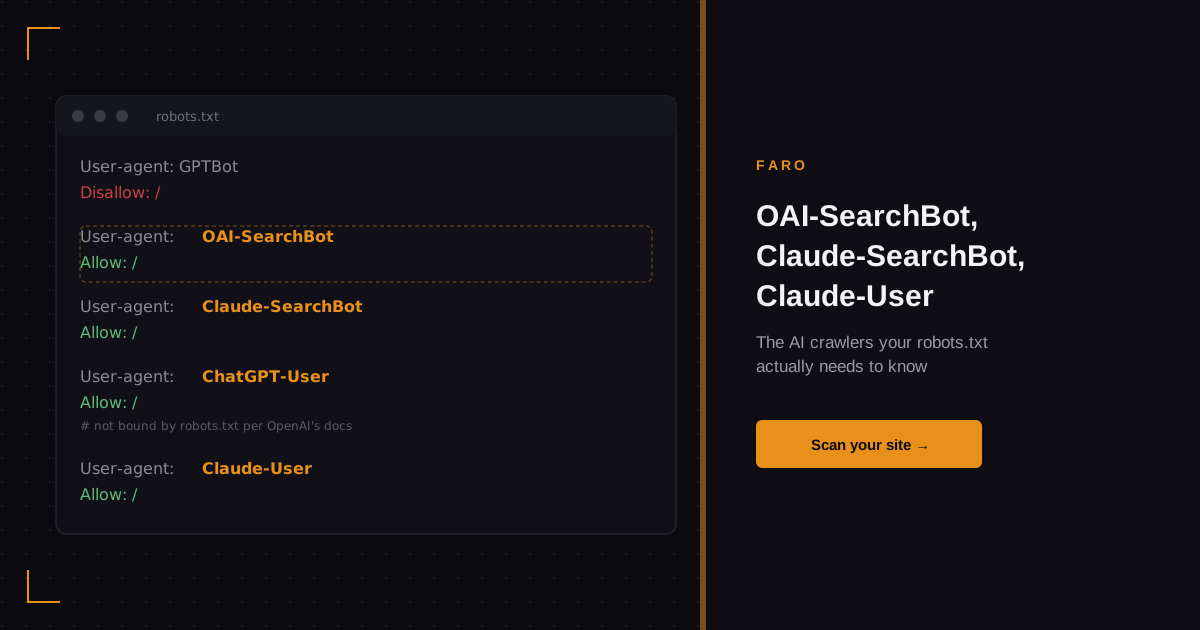
Your robots.txt file probably has a line for GPTBot. Maybe one for ClaudeBot too. That covers the crawlers that train AI models on your content. It does nothing for the crawlers that put your pages into a ChatGPT search answer or a Claude citation right now, today, and it does nothing for the requests that fire the moment a person asks an AI assistant to go look at your site.
OAI-SearchBot, Claude-SearchBot, Claude-User, and ChatGPT-User are four separate agents with four separate jobs. Mixing them up in your robots.txt is how a site accidentally blocks itself from AI search results while thinking it only blocked AI training, or blocks nothing at all while believing it locked the gate.
In this article
- Training crawlers, search crawlers, and live requests: three different jobs
- What is OAI-SearchBot?
- What is Claude-SearchBot?
- What is Claude-User, and why doesn't it always follow your rules?
- Reference table: every major AI crawler and what it does
- Why one wildcard rule can miss the crawler you meant to control
- Example robots.txt sections for three common strategies
- FAQ
- In short
Key takeaways
- GPTBot and ClaudeBot collect training data. OAI-SearchBot and Claude-SearchBot populate AI search answers. ChatGPT-User and Claude-User fire only when a person asks the assistant to visit a specific page, live.
- Anthropic's own documentation states all three of its crawlers, ClaudeBot, Claude-User, and Claude-SearchBot, honor robots.txt disallow rules.
- OpenAI's own documentation states ChatGPT-User is not bound by robots.txt, because a person triggered the single request. OAI-SearchBot and GPTBot do respect it.
- A single
User-agent: *rule group, by itself, sits at the bottom of the matching order: a crawler that matches a more specific named group skips the wildcard rule entirely. - Blocking a brand's training crawler and its search crawler takes two separate rule groups. One rule, one bot, every time.
Training crawlers, search crawlers, and live requests: three different jobs
Every major AI lab now runs at least three kinds of bots, and they do not overlap the way most site owners assume. The first kind trains models: it crawls broadly, on its own schedule, to build the data a model learns from. The second kind serves search: it crawls to find and index pages so the assistant's search feature can cite or link them. The third kind only moves when a specific person asks the assistant to look at a specific page right now, inside that one conversation.
Blocking the first kind does not touch the second or third. A site can disallow GPTBot entirely, stay fully trainable-data-free, and still show up in a ChatGPT search result, because OAI-SearchBot is a different user agent with its own robots.txt entry. The same split applies to Anthropic's ClaudeBot versus Claude-SearchBot. Treating "block the AI bot" as one decision, instead of three, is the single most common misconfiguration in this cluster.
What is OAI-SearchBot?
OAI-SearchBot is OpenAI's crawler for ChatGPT's search feature. According to OpenAI's own crawler documentation, it identifies itself with the user agent string OAI-SearchBot/1.4, crawls the web specifically to surface websites in ChatGPT search results, and respects robots.txt: a site that disallows OAI-SearchBot will not appear in those search results. It is a separate crawler from GPTBot (training) and from OAI-AdsBot (ad safety checks), each with its own user agent and its own disallow rule.
If your goal is "don't let OpenAI train on my site, but let ChatGPT find me in search," OAI-SearchBot is the agent you leave open while you disallow GPTBot. Get that backward, one combined rule for both, and you either lose search visibility you wanted to keep or hand over training access you meant to refuse.
What is Claude-SearchBot?
Claude-SearchBot is Anthropic's equivalent: a crawler that, per Anthropic's own documentation on its web crawlers, "navigates the web to improve search result quality for users." It is distinct from ClaudeBot, which collects content that may train future models, and from Claude-User, which only acts on a direct request inside a conversation. Anthropic's documentation states that all three of its crawlers honor robots.txt directives, and that site owners can block any one of them individually with a standard disallow rule, or throttle requests with crawl-delay.
Anthropic also publishes a list of its crawler IP ranges, at claude.com/crawling/bots.json, for sites that want to verify a request actually came from Claude and not a bot spoofing the user agent string. Its documentation notes that blocking by IP address alone can misbehave and recommends the robots.txt route as the reliable one.
What is Claude-User, and why doesn't it always follow your rules?
Claude-User and ChatGPT-User are the crawlers almost nobody plans for, because they only exist for a few seconds at a time. When someone asks Claude or ChatGPT to open a specific URL inside a chat, read a page, or check a detail on a site, the assistant fires a single live request under a distinct user agent: Claude-User or ChatGPT-User. It is not indexing anything and it is not training anything. It is doing exactly what a person just typed and asked for.
Here is the part worth building into your mental model: these two behave differently with robots.txt, and the difference comes straight from each company's own documentation, not a third party's guess. Anthropic's crawler documentation lists Claude-User among the crawlers that honor robots.txt disallow rules. OpenAI's crawler documentation says the opposite for ChatGPT-User: it is "not bound by robots.txt since triggered by individual user requests." A disallow rule aimed at ChatGPT-User, by OpenAI's own description of the bot, will not stop it, because the person who typed the request is the one actually asking for that one page, not the bot roaming on its own.
Reference table: every major AI crawler and what it does
| Crawler | Operator | Job | Follows robots.txt |
|---|---|---|---|
| GPTBot | OpenAI | Training data collection | Yes |
| OAI-SearchBot | OpenAI | ChatGPT search indexing | Yes |
| OAI-AdsBot | OpenAI | Checks pages submitted as ChatGPT ads | Only visits submitted ad pages |
| ChatGPT-User | OpenAI | Live, user-triggered page fetch inside a chat | No, per OpenAI's own documentation |
| ClaudeBot | Anthropic | Training data collection | Yes |
| Claude-SearchBot | Anthropic | Search result quality | Yes |
| Claude-User | Anthropic | Live, user-triggered page fetch inside a chat | Yes |
Source: OpenAI and Anthropic's own crawler documentation, checked directly rather than taken from a summary.
Why one wildcard rule can miss the crawler you meant to control
Google's own guide to writing a robots.txt file spells out the matching order that trips up most of these configurations: crawlers process rule groups top to bottom, and a given user agent matches only the single most specific group written for it. If a site has both a User-agent: * group and a separate, named group for one specific bot, that bot follows its own named group and ignores the wildcard entirely. Google's documentation gives its own example of this: a bare asterisk wildcard matches every one of Google's crawlers except its AdsBot family, which has to be named explicitly to be covered at all.
Apply that same logic to AI crawlers and the risk becomes obvious. A site owner who writes one wildcard block, thinking it covers "every AI bot," has no guarantee it reaches a crawler that AI labs decide to treat as its own named exception, the way OpenAI already does with OAI-AdsBot. The Robots Exclusion Protocol, formally standardized as RFC 9309 in September 2022 after running as a voluntary convention since 1994, confirms the same rule industry-wide: a user agent matches its own named group first, and falls back to the wildcard only when no named group exists for it.
The practical fix is simple and tedious: name every crawler you actually want to control, in its own group, rather than trusting one wildcard rule to do the job for all of them.
Example robots.txt sections for three common strategies
These three setups cover the decisions most marketing and SEO teams are actually trying to make.
Block all training, allow all search and live assistant access:
User-agent: GPTBot
Disallow: /

User-agent: ClaudeBot
Disallow: /

User-agent: OAI-SearchBot
Allow: /

User-agent: Claude-SearchBot
Allow: /

User-agent: ChatGPT-User
Allow: /

User-agent: Claude-User
Allow: /
Block everything from one lab, allow everything from another:
User-agent: GPTBot
Disallow: /

User-agent: OAI-SearchBot
Disallow: /

User-agent: ChatGPT-User
Disallow: /

User-agent: ClaudeBot
Allow: /

User-agent: Claude-SearchBot
Allow: /

User-agent: Claude-User
Allow: /
Keep the wildcard as a true catch-all, with every AI bot you care about named separately above it:
User-agent: GPTBot
Disallow: /

User-agent: OAI-SearchBot
Allow: /

User-agent: ChatGPT-User
Allow: /

User-agent: ClaudeBot
Disallow: /

User-agent: Claude-SearchBot
Allow: /

User-agent: Claude-User
Allow: /

User-agent: *
Allow: /
Remember the one case none of these rules can touch: OpenAI's own documentation describes ChatGPT-User as acting on an individual person's direct request, so a disallow line aimed at it is a policy statement, not a technical block, by OpenAI's own account of how the bot behaves.
Checking all this by hand across every crawler, every time a lab adds a new one, is exactly the kind of maintenance that falls off a team's radar. Faro's AI readiness scan reads your live robots.txt and flags which named AI crawler groups are present, missing, or accidentally shadowed by a wildcard rule, so you are not reverse-engineering this from a text file every quarter.
FAQ
Does a robots.txt disallow rule actually block ChatGPT-User?
No, not reliably. OpenAI's own documentation states ChatGPT-User is "not bound by robots.txt since triggered by individual user requests." The request exists because a person asked the assistant to look at that one page, so OpenAI treats it as a direct action rather than automated crawling.
What's the real difference between GPTBot and OAI-SearchBot?
GPTBot collects content that may be used to train OpenAI's models. OAI-SearchBot crawls specifically to surface pages in ChatGPT's search results. They are separate user agents with separate robots.txt entries, so disallowing one has no effect on the other.
If I already block ClaudeBot, do I still need a separate rule for Claude-SearchBot?
Yes. ClaudeBot and Claude-SearchBot are distinct crawlers with distinct jobs, training versus search quality, and Anthropic's documentation describes them as following their own separate robots.txt groups. Blocking one does not block the other.
Will a single "User-agent: *" rule block every AI crawler?
Only the ones that do not have their own named group elsewhere in the file. Per Google's and the Robots Exclusion Protocol's own matching rules, a crawler with a specific named group follows that group and ignores the wildcard, even if the wildcard says disallow everything.
How do I find out which AI crawlers are actually hitting my site right now?
Your server or CDN logs are the ground truth: filter for the user agent strings in the reference table above. If you want that mapped against your current robots.txt automatically instead of grepping logs by hand, Faro's robots.txt tool and AI readiness scan both check this as part of a full read of your site's crawler access.
In short
GPTBot and ClaudeBot train models. OAI-SearchBot and Claude-SearchBot power AI search results. ChatGPT-User and Claude-User fire only when a person asks the assistant to check a page live, and OpenAI's own documentation says ChatGPT-User ignores robots.txt entirely for that reason, while Anthropic's documentation says Claude-User does not. A wildcard rule only catches a crawler that has no more specific named group of its own. If you want precise control over which AI systems train on your content, which ones can cite you in search, and which ones can fetch a page on a user's direct request, each of those seven bots needs its own line, not one blanket rule for all of them.
If your robots.txt still only mentions GPTBot and ClaudeBot, you have covered training and nothing else. Related reading: what actually blocks AI crawlers in robots.txt covers the broader blocking mechanics, and can AI crawlers run JavaScript covers what these same bots can and cannot see once they do reach a page. For machine-readable site information these crawlers can parse directly rather than infer, Faro's OKF generator and llms.txt tool cover the structured side of agent discoverability.
Run Faro's robots.txt tool to see exactly which of these seven crawlers your current file actually names, which ones fall through to a wildcard, and which ones no rule in your file can touch at all.