WebMCP is a new browser standard that lets a website hand an AI agent a working tool instead of a wall of text to parse. Google and Microsoft engineers published the first draft on GitHub in August 2025, and it is being developed in the open inside the W3C's Web Machine Learning Community Group. Instead of an agent scraping your page and guessing what a button does, WebMCP lets you register a named function, something like "check_availability" or "add_to_cart," complete with a plain-language description and an input schema, so the agent calls it directly, the same way it already calls a tool inside Claude or ChatGPT. For marketers and SEO leads, that is a real shift: your site stops being a document an agent reads and starts being a set of actions an agent can perform on a visitor's behalf. This article covers what WebMCP actually does, how it differs from the MCP servers your team may already run, and what to check on your own site before agents start treating it as a tool instead of a page.
Key takeaways
- WebMCP is a draft web standard, first published August 13, 2025, that lets sites expose JavaScript functions or HTML forms as callable "tools" for AI agents, not just readable content.
- It runs through a new
document.modelContextAPI with methods includingregisterTool(),getTools(), andexecuteTool(), mirroring how backend MCP servers expose tools to AI models. - Microsoft and Google engineers wrote the first draft; it is being developed in the open under W3C's Web Machine Learning Community Group, not owned by a single browser vendor.
- WebMCP does not replace llms.txt or schema markup. Those describe your site for an agent to read. WebMCP lets an agent act on it.
- It is still a draft with no finalized browser support. You do not need to ship it this quarter, but your agency or team should understand what it changes before it lands.
What is WebMCP, in plain terms?
WebMCP is a proposed web standard that lets a website register specific pieces of functionality, JavaScript functions or HTML forms, as "tools" an AI agent can call directly, each with a plain-language description and a defined input schema. It comes from the Web Machine Learning Community Group on GitHub, first published August 13, 2025, with the initial specification authored by engineers from Microsoft (Brandon Walderman, Leo Lee, Andrew Nolan) and Google (David Bokan, Khushal Sagar, Hannah Van Opstal). Where a normal webpage forces an agent to parse HTML and guess which element submits a form, a WebMCP tool tells the agent exactly what it does, what input it needs, and what it returns, the same kind of contract an MCP server gives a model like Claude. The practical effect: an agent visiting your site can search your inventory, check a price, or start a signup flow by calling a function, not by clicking through a UI that was built for a human hand.
You do not need to write any of this code yourself today. What matters right now is understanding that the standard exists, who is building it, and how it is different from tools you may already have in place, including your llms.txt file, your structured data, or a backend MCP server your engineering team runs. The comparison further down this page walks through all four.
How is WebMCP different from the MCP server you already run?
WebMCP and MCP solve the same underlying problem, giving an AI model a well-described function to call, on two different sides of the connection. A backend Model Context Protocol (MCP) server runs on your own infrastructure and exchanges tools, resources, and prompts with an AI host over JSON-RPC; the specification describes hosts, clients, and servers negotiating capabilities before any tool is called. WebMCP runs the opposite direction: the tool lives inside your page's own JavaScript, in the visitor's browser, and the agent calls it directly inside that browser session, using whatever the visitor is already logged into and looking at.
That distinction matters for how you plan around each one. An MCP server is something your engineering team builds once and maintains centrally, useful for giving an AI assistant access to your product's backend regardless of who is asking. WebMCP is scoped to a single page, tied to what that visitor can already do there. A support agent built on your MCP server might look up any customer's order. A WebMCP tool on your order-status page can only do what that page already lets the logged-in visitor do, nothing more. For most marketing and content teams, WebMCP is the one that will eventually touch your website itself; MCP servers are usually a product and engineering decision made separately.
How does a WebMCP tool actually work on a page?
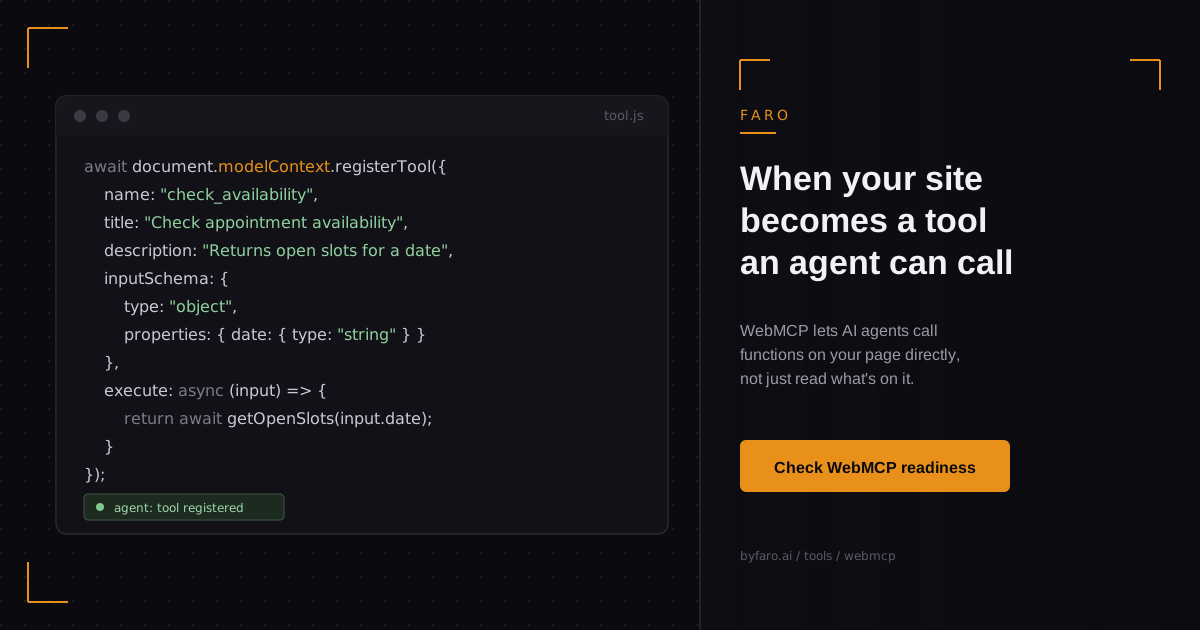
In practice, a developer registers a tool with a name, a natural-language description, and a JSON Schema describing its inputs, then wires it to a function that returns a result the agent can use. A minimal example from the current draft specification looks like this:
await document.modelContext.registerTool({
  name: "check_availability",
  title: "Check appointment availability",
  description: "Returns open appointment slots for a given date",
  inputSchema: {
    type: "object",
    properties: { date: { type: "string" } }
  },
  execute: async (input) => {
    return await getOpenSlots(input.date);
  }
});
That is the entire integration for one tool: a name the agent can reference, a description it can reason about, a schema it can validate input against, and a function that runs when the agent decides to call it. The draft specification also plans a declarative path where an existing HTML form could become a tool automatically, without writing new JavaScript at all, though that part of the proposal is still marked as unfinished work by its own authors. Until it firms up, every real WebMCP tool today is registered in code, one function at a time.
Why would an agent call a tool instead of just reading your page?
Every major AI platform already gives its models the same basic choice: read for context, or call a defined tool when the task calls for action. Perplexity's own Agent API documentation describes the decision plainly, noting that a developer enables a tool by adding it to a tools array, and "the model decides when to call it based on your prompt and instructions." WebMCP brings that identical decision point to your website instead of a developer's API request. An agent that is already comfortable calling a search tool or a code execution tool does not need new training to call yours once your site exposes one; it only needs your tool to exist, be described accurately, and do what its description says it does.
This is also where the fit with Faro's own framing matters: a tool description an agent can verify and trust is a grounding signal, the same category of evidence as accurate structured data or a citable stat with a named source. A tool description that overstates what it does, or is planted specifically to steer an agent's behavior, is the same failure mode as a poisoned page: hidden instructions built to manipulate a recommendation rather than earn it. WebMCP does not change that trust equation. It just moves it from your page's text to your page's functions.
What does this mean for you if you are not a developer?
You are not the one writing the registerTool() call, and you should not need to be, but three things belong on your radar now rather than after the fact. First, WebMCP is a signal that the next wave of AI-agent work on your site will be about actions, not just visibility; ranking in an AI answer and being usable by an agent are becoming two separate problems. Second, the pages worth thinking about first are your highest-intent ones: booking, pricing, checkout, availability, anywhere a visitor currently fills out a form to get something done. Third, none of this replaces the groundwork you should already have in place. An agent still needs to find your site, understand what it does, and trust what it says before it ever calls a tool on it.
That groundwork, crawl access, structured data, and a clean llms.txt file, is worth auditing on its own timeline, independent of when WebMCP support actually ships in any browser. A free Faro AI visibility scan checks whether your site is giving today's agents those basics before you take on tomorrow's tool-calling work. If you want that descriptive layer as a single machine-readable file rather than markup scattered across templates, the OKF Generator builds a structured JSON summary of what your business does and who it serves.
Does WebMCP replace llms.txt, schema markup, or your MCP server?
No. Each of the four serves a different agent-facing purpose, and most sites will eventually carry more than one at once. The table below lays out what each one actually exposes, where it lives, and whether an agent can act on it or only read it.
| Standard | What it exposes | Where it lives | Can an agent act on it? |
|---|---|---|---|
| llms.txt | A plain-text summary of your site for a model to read | Static file at your domain root; see Faro's llms.txt generator | No, read-only |
| Structured data (schema.org) | Machine-readable facts about your pages and entities | JSON-LD in your page's HTML; check yours with Faro's AI schema tool | No, read-only |
| MCP server | Callable backend tools and data an AI host can request | Your own infrastructure, over JSON-RPC | Yes, server-side actions |
| WebMCP | Functions or forms on a single page an agent can call directly | Your site's own JavaScript, running in the visitor's browser | Yes, client-side actions scoped to that page |
Standard is being tracked as a draft specification under W3C's Web Machine Learning Community Group as of late 2026; treat browser support as unfinished until you confirm it directly.
What should you actually do about WebMCP right now?
Nothing urgent, and that is the honest answer. This is a draft specification without finalized browser support, and rebuilding your checkout flow around an unfinished standard would be a wasted quarter. What is worth doing now is smaller and lower risk.
- Don't rush an implementation. There is no shipped browser support to build against yet, and the declarative form-to-tool path is explicitly unfinished in the draft itself.
- Do audit what your site already exposes to agents today: crawl access, structured data, and a working llms.txt file are the groundwork every later standard builds on.
- If your team already runs an MCP server, understand that WebMCP will not replace it. Expect the two to end up complementary: one for backend actions any AI host can request, one for page-scoped actions tied to what a visitor is already doing.
- Flag your highest-intent pages internally now, booking, quote, checkout, availability, so your dev team has a short list ready when browser support and priorities align.
- Revisit this list in two to three months. A draft specification with two major browser vendors already contributing code moves faster than most.
Frequently asked questions
Is WebMCP live in browsers yet?
No. As of late 2026 it remains a draft specification under active development in W3C's Web Machine Learning Community Group, with open issues and pull requests still being resolved. Treat any specific browser-support claim as unconfirmed until you verify it against the current spec status yourself.
Do I need WebMCP if my company already has an MCP server?
Not as a replacement. An MCP server exposes backend tools to any AI host that connects to it; WebMCP exposes page-scoped tools inside a visitor's own browser session. Most sites that end up using both will use them for different jobs, not as substitutes for each other.
Does WebMCP replace schema markup or llms.txt?
No. Schema markup and llms.txt describe your site so a model can read and understand it. WebMCP lets an agent take an action on your site once it already understands it. You still need the descriptive layer even if you eventually add the action layer.
Who is actually building WebMCP?
Engineers from Microsoft and Google authored the initial draft, first published August 13, 2025, and the ongoing specification work happens in the open on GitHub under W3C's Web Machine Learning Community Group rather than inside a single company.
Is WebMCP only relevant to e-commerce sites?
No. Any site with a form-driven action, booking a demo, checking availability, submitting a quote request, requesting a callback, is a candidate. E-commerce checkout and inventory lookups are the most obvious early use cases, but they are not the only ones.
In short
WebMCP is a draft web standard, backed by engineers at Microsoft and Google and developed in the open at W3C, that lets a website register JavaScript functions or forms as tools an AI agent can call directly, through a new document.modelContext API. It is a different layer from llms.txt, schema markup, or a backend MCP server: those describe your site, WebMCP lets an agent act on it. There is no finalized browser support yet, so there is no implementation deadline this quarter. The useful move right now is understanding what changes, auditing the descriptive groundwork you already control, and flagging your highest-intent pages so your team is ready when the standard matures.
Faro's WebMCP readiness check flags whether your highest-intent pages, checkout, booking, pricing, are structured in a way that will make sense to a tool-calling agent once browser support catches up to the specification. Check your site before your competitors do. The guide to reading a WebMCP readiness report explains what each flagged page needs before an agent could act on it.