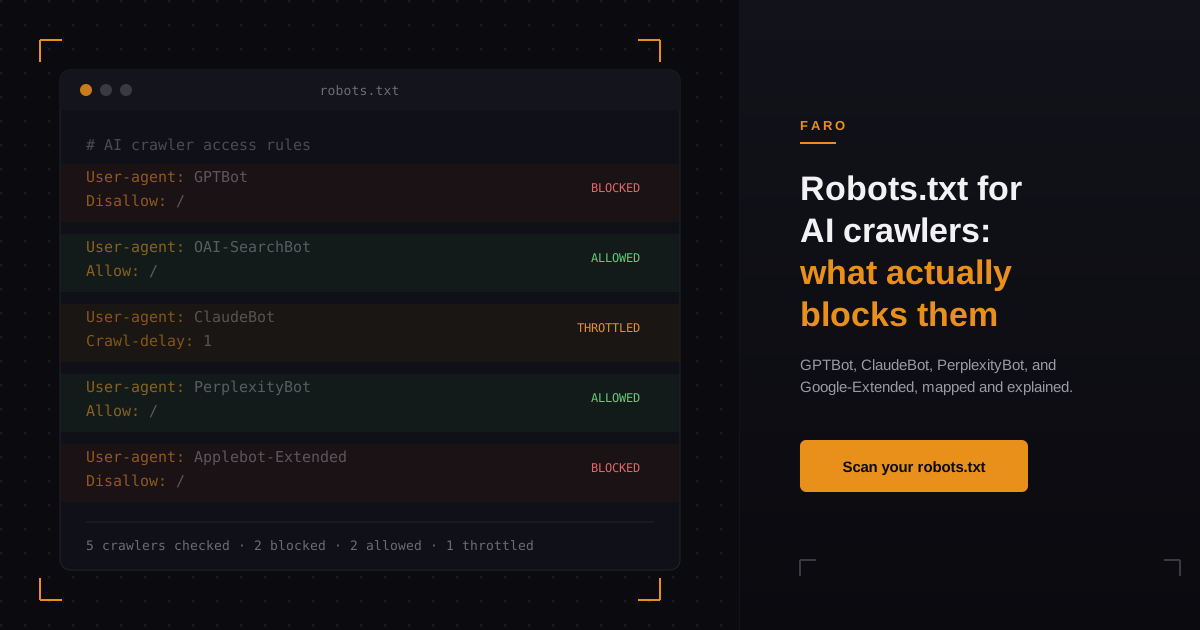
Most robots.txt guides published in the last year treat every AI bot the same way: block it and move on. That advice is incomplete, and for a lot of sites it is actively wrong. Some AI crawlers respect robots.txt to the letter. Others are triggered by a real person asking a real question, and they ignore your Disallow line entirely, by design, because a user is waiting on the other end. If you manage a site's technical setup and you're deciding what to block, you need to know which crawler you're actually looking at before you write the rule.
This is a practical breakdown of what robots.txt controls for AI crawlers in 2026, which major bots behave which way, and where blocking backfires because it cuts off the wrong thing.
Key takeaways
- Robots.txt only reliably stops automatic AI crawlers, the ones that build training datasets or search indexes on a schedule. It does not stop crawlers triggered by a live user question.
- OpenAI, Anthropic, and Perplexity each run at least two separate bots: one for automatic crawling and one that fires when a person asks their assistant to look something up. Only the first type reliably obeys robots.txt.
- Blocking a training crawler like GPTBot or ClaudeBot does not remove you from AI answers. It only affects whether that company can use your content to train future models.
- A single typo in a User-agent line, or a wildcard Disallow rule left over from a staging environment, can silently block every AI crawler on your site at once.
- Google-Extended, Applebot-Extended, and their equivalents let you opt out of AI training specifically, without touching your regular search indexing.
What does robots.txt actually control when it comes to AI crawlers?
Robots.txt is a request, not a lock. It tells any bot that reads it which parts of your site that bot should avoid, but nothing forces a crawler to comply. The AI crawlers run by major labs generally do respect it for their automatic, scheduled crawling, because ignoring it publicly would be a reputational and legal problem for them. What robots.txt cannot do is stop a crawler that isn't really "crawling" at all: a fetch triggered the moment a user types a question into an AI assistant and the assistant goes to check your page in real time.
That distinction is the single most misunderstood part of AI crawler management. A blog post can rank well, get indexed, and still get treated as if "robots.txt handles AI" without anyone checking which of a company's several bots the rule actually applies to. There isn't one ChatGPT bot or one Claude bot. Each major AI company runs a small family of user-agents that do different jobs, and a robots.txt rule that blocks one does not automatically block the others.
Which AI crawlers should you actually know about in 2026?
Four companies run the AI crawlers most sites will see: OpenAI, Anthropic, Perplexity, and Apple, alongside Google's long-standing Google-Extended token for its generative AI products. Each splits its bot into an automatic crawler for training or indexing, and a separate on-demand fetcher that only activates when a user asks a direct question.
| Company | Automatic crawler | Job | Respects robots.txt? |
|---|---|---|---|
| OpenAI | GPTBot | Trains OpenAI's models on web content | Yes |
| OpenAI | OAI-SearchBot | Powers ChatGPT's search feature and indexing | Yes |
| OpenAI | ChatGPT-User | Fires when a person asks ChatGPT to browse a page | No, treated as a user-initiated fetch |
| Anthropic | ClaudeBot | Collects web content for model training | Yes |
| Anthropic | Claude-SearchBot | Improves search result quality inside Claude | Yes |
| Anthropic | Claude-User | Fires when someone asks Claude to look something up | Yes, but scoped to that single request |
| Perplexity | PerplexityBot | Surfaces and links sites in Perplexity's own search results | Yes |
| Perplexity | Perplexity-User | Fires when a user's question needs a live page fetch | No, described by Perplexity as generally ignoring it for user-requested fetches |
| Apple | Applebot-Extended | Governs whether crawled pages can train Apple's generative models | Yes, and it doesn't crawl on its own; it only tags how Applebot's data can be used |
Sources: Anthropic's crawler documentation, Perplexity's crawler documentation, and Apple's Applebot documentation.
Google runs a comparable split. Googlebot handles search indexing, and a separate token, Google-Extended, controls whether that same crawled content can train Google's generative AI features. Disallowing Google-Extended does not touch your regular Google Search ranking, the same way disallowing Applebot-Extended does not touch whether Siri or Spotlight can still surface your page.
How do you write a robots.txt rule for a specific AI crawler?
The syntax is the same standard robots.txt format you already use for search engine bots, just with a different User-agent value. To block a single crawler from all future automatic crawls:
User-agent: GPTBot
Disallow: /
To block AI training specifically while still allowing that company's search or indexing bot, list each user-agent as its own block rather than grouping them:
User-agent: GPTBot
Disallow: /

User-agent: OAI-SearchBot
Allow: /
Anthropic's own documentation shows the same pattern for ClaudeBot, and adds a rate-limiting option for sites that want to allow crawling but slow it down: a Crawl-delay directive under the same User-agent block. That's useful if a crawler is respecting your rules but still generating enough request volume to show up in your server logs.
One detail that trips up a lot of technical setups: robots.txt rules are matched by exact user-agent string, and a wildcard block like User-agent: * / Disallow: / left over from a staging environment blocks every AI crawler along with every search engine at once. Check your live robots.txt for a stray wildcard rule before you assume a specific bot is the problem.
Want the mapped-out version instead of writing rules by hand? Faro's robots.txt analyzer reads your live file and shows exactly which AI crawlers are allowed, blocked, or silently caught by a wildcard rule you didn't mean to apply to them. The guide to reading the robots.txt analyzer results covers what to do with each verdict, including the wildcard case that catches most sites.
Does blocking GPTBot or ClaudeBot hurt your visibility in AI answers?
Blocking a training crawler changes whether a company can use your content in a future model's training data. It does not remove your site from that company's current model, and it does not stop that model's assistant from citing your page when a user asks it a direct question, because that citation happens through the separate, user-triggered fetcher, not through the training crawler you blocked. A site that disallows GPTBot entirely can still show up in a ChatGPT answer, because the fetch behind that answer came from ChatGPT-User responding to one specific question, not from GPTBot building a training set months earlier.
This is where the training-crawler-versus-live-fetcher distinction actually matters for a marketing team. If your goal is to appear in AI answers today, blocking the training bot does not help or hurt that goal directly; it only affects what happens to your content over a longer horizon. If your goal is to opt out of AI training on principle, blocking GPTBot, ClaudeBot, and Google-Extended is the correct move, but you should expect it to have no visible effect on how often your brand gets cited in an answer this month. Conflating the two goals is the most common mistake teams make when they treat "block the AI bots" as a single decision instead of two separate ones.
Tracking whether you're actually being cited, and by which assistant, is a different problem than robots.txt entirely; that's what Faro's AEO citation monitor is built to watch on an ongoing basis, rather than a one-time check.
Should you block AI crawlers, or optimize for them?
The honest answer depends on what you're optimizing for, and it's worth separating three different things that get lumped together under "AI SEO": grounding, shaping, and poisoning. Grounding is verifiable evidence an AI system can actually inspect on your site, like structured data, clear pricing, and up-to-date facts; this is legitimate, and it's the layer most sites are weakest on. The OKF Generator is a fast way to publish that grounding layer as one structured file instead of scattering it across page templates. Shaping is AI-facing positioning language written to influence how a model describes you; it sits in a gray area depending on how it's done. Poisoning is hidden instructions meant to manipulate an AI's output, and it's the black-hat end of the spectrum that gets sites blocked or ignored once discovered.
Most sites that block every AI crawler by default are opting out of grounding along with everything else. If your customers are already using ChatGPT, Claude, or Perplexity to research a purchase in your category, an AI assistant that can't crawl your pricing page or your comparison content has nothing accurate to cite, and it will either skip you or cite outdated information from somewhere else. Blocking access is a legitimate choice for sites that genuinely don't want their content in training data. It's a costly default for sites that want to be found and described accurately by the same assistants their buyers are already asking.
How do you check whether robots.txt is blocking AI crawlers by accident?
Start by reading your live, published robots.txt file, not the one in your codebase; a deploy that never shipped or a CDN-level override can leave the two out of sync. Look specifically for three things: a wildcard User-agent rule that unintentionally covers AI bots, a rule copied from another site that names a user-agent you didn't mean to block, and any Disallow path that happens to cover your pricing, comparison, or product pages, since those are exactly the pages an AI assistant needs to answer a buying question accurately.
If you've also published an llms.txt file, check that it doesn't contradict your robots.txt rules; the two serve different purposes; robots.txt controls crawl access, while an llms.txt file is a separate, unofficial convention some sites use to summarize their content for AI systems. Faro's llms.txt generator can help keep that file consistent with whatever access rules you've actually set in robots.txt.
Frequently asked questions
Does robots.txt stop ChatGPT from citing my site in an answer?
No. Robots.txt controls GPTBot, OpenAI's automatic training crawler, and OAI-SearchBot, its search indexing crawler. The fetch that happens when a user asks ChatGPT a direct question comes from a separate user-agent, ChatGPT-User, which OpenAI's own documentation describes as not subject to robots.txt because it's a user-initiated request rather than automatic crawling.
What's the difference between a training crawler and a user-triggered fetcher?
A training crawler runs on a schedule the AI company controls, building a dataset or search index over time, and it generally respects robots.txt. A user-triggered fetcher only activates the moment someone asks the assistant a specific question that requires checking a live page, and Perplexity's own documentation explicitly notes that its user-triggered fetcher generally ignores robots.txt rules for this reason.
Do I still need robots.txt if I already have an llms.txt file?
Yes. They do different jobs. Robots.txt is the standard, decades-old protocol that controls whether a bot is allowed to crawl a given path at all. An llms.txt file is a newer, unofficial convention for summarizing a site's content for AI systems; it doesn't grant or restrict crawl access on its own, so it can't replace robots.txt.
Will blocking Google-Extended hurt my Google Search rankings?
No. Google-Extended is a separate token from Googlebot, and it only controls whether your crawled content can be used to train Google's generative AI features. Disallowing Google-Extended does not affect Googlebot's ability to crawl and index your site for regular search results.
How often do AI crawler user-agents or IP ranges change?
Often enough that a rule written a year ago is worth rechecking. Companies periodically add new bots as they ship new products, version their existing crawlers, and update the IP ranges they publish for verification. Anthropic, for example, publishes a machine-readable IP list specifically because blocking by IP address instead of by user-agent can break when those ranges change.
In short
Robots.txt still works for AI crawlers, but only for the automatic ones: GPTBot, ClaudeBot, PerplexityBot, and similar training or indexing bots generally respect a Disallow rule. It does nothing to stop the separate, user-triggered fetchers that fire when someone asks an assistant a direct question, which is usually the fetch that actually produces a citation. Before you block anything, check your live robots.txt for wildcard rules that catch more than you intended, and decide separately whether you're optimizing to appear in AI answers or opting out of AI training, because those are two different goals with two different correct settings.
If you want to see exactly which AI crawlers your current robots.txt allows, blocks, or accidentally catches in a wildcard rule, run your site through Faro's robots.txt analyzer. It checks every major AI user-agent against your live file in one pass.