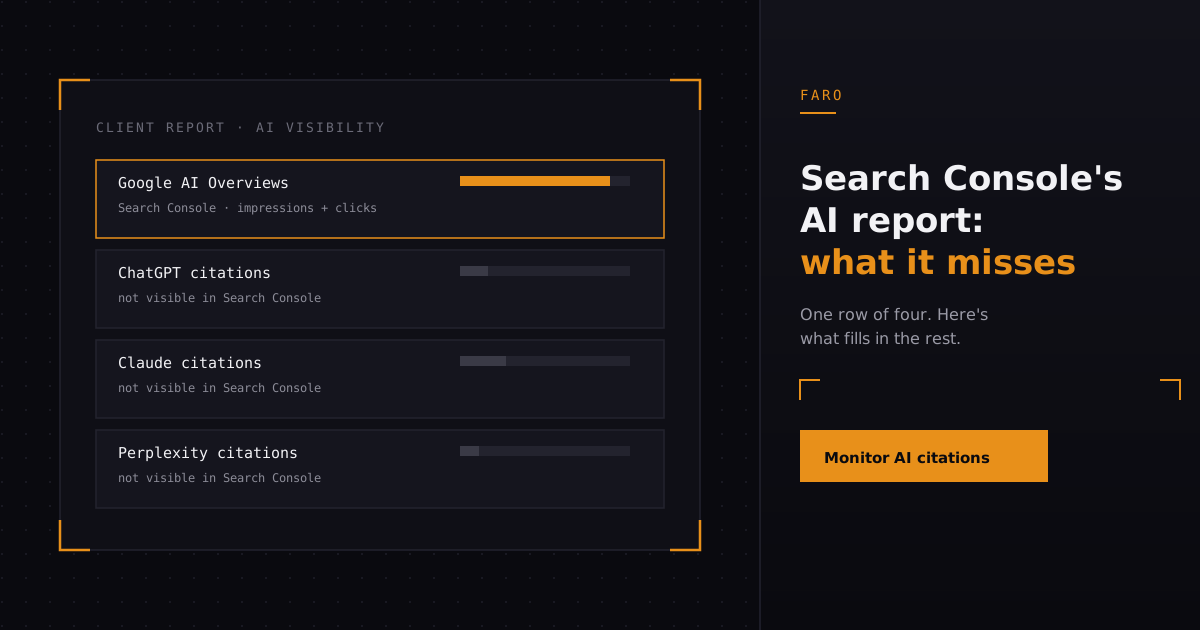
Google Search Console finally has a section for AI Overview and AI Mode traffic. If you run client reporting for an agency, that is the first time you have had Google's own numbers to put in a deck instead of a screenshot of ChatGPT and a shrug. It is also not the whole picture, and treating it like the whole picture is the fastest way to tell a client something that is not true.
Here is what the report actually covers, what it leaves out, and what that means for the next AI visibility section you build into a client report.
Key takeaways
- Search Console's generative AI performance report shows impressions and clicks for your pages when they appear in Google's AI Overviews and AI Mode, the same way the standard Performance report does for classic blue links.
- It only covers Google. ChatGPT, Claude, Perplexity, and Gemini's standalone app run their own crawlers and their own citation logic, and none of that shows up in Search Console.
- A client AI visibility report needs both: Google's own AI surfaces from Search Console, and citation tracking across the other engines from a tool built to watch them.
- Agencies managing several clients get more value from this data when it is benchmarked against each client's industry, not read in isolation.
What does Search Console's AI report actually show?
It shows impressions and clicks for your pages when they surface inside Google's AI Overviews and AI Mode, the same way the standard Performance report shows them for ordinary search results. According to Google's own help documentation, the generative AI performance report sits alongside the regular Performance report in Search Console and breaks out the queries and pages that triggered an AI-generated answer, rather than a standard result list.
That matters because before this report existed, the honest answer to "how are we doing in AI Overviews" was a pile of manual ChatGPT screenshots and a guess. Now there is at least one real, first-party number: how often Google showed an AI answer built from your content, and whether anyone clicked through on it. For a lot of agencies, this is the first Google-sourced evidence that AI Overviews are sending any traffic at all, good or bad.
When did it roll out, and do you have it yet?
Google introduced the report gradually through 2026, then expanded it to Search Console properties more broadly. Google's own developer blog post, introducing the generative AI performance reports, frames it as an extension of the existing Performance report rather than a separate product, which is why it appears as a new filter or tab inside the Search tab you already use.
If a client's property does not show the AI breakdown yet, the fix is almost never a setting. It is usually one of three things: the property genuinely has too little AI-surface traffic to populate a report, the account has not been reached by the rollout wave yet, or someone is looking at a Domain property type when the data lives under a different property for the same site. Check both property types before you tell a client the feature "isn't available" for them.
What does the AI report still not show you?
It shows nothing from ChatGPT, Claude, Perplexity, Gemini's own app, or any assistant that is not Google Search generating its own AI Overview. Those products run separate crawlers with separate rules for when and how they cite a page, and none of that activity passes through Google Search Console at all, because none of it is Google Search.
Anthropic documents its own web crawler and how site owners can block it as a completely separate system from anything Google reports on. The same is true of OpenAI's and Perplexity's crawlers. If a client's product gets recommended by Claude three times a week but never shows up as an AI Overview in Google, Search Console will report that as nothing happening, because from Google's side, nothing did.
This is the gap that turns a client report from "here's a Google screenshot" into something that actually answers the question clients are asking, which is rarely "how are we doing in Google's AI Overviews specifically." It is "are AI tools recommending us at all." Those are different questions, and only one of them has an answer inside Search Console.
What should actually go in a client AI visibility report?
A client AI visibility report needs four sections, and Search Console's new data only fills one of them. Treat the other three as separate line items, not as a caveat buried in a footnote.
| Section | What it answers | Where the data comes from |
|---|---|---|
| Google AI surfaces | Is the client's content appearing in AI Overviews or AI Mode, and does anyone click through? | Search Console's generative AI performance report |
| Cross-engine citations | Is ChatGPT, Claude, Perplexity, or Gemini actually naming or recommending the client? | A citation monitoring tool tracking those engines directly |
| Technical access | Can agent crawlers even read the client's site, or is content blocked behind JavaScript, a login wall, or a robots.txt rule? | A site-level AI readiness scan |
| Competitive position | Who is AI recommending instead of the client, in the client's specific industry? | Competitor and industry benchmarking |
The case for connecting any of this to revenue only holds up if the underlying numbers are real in the first place, which is exactly why the technical access row matters as much as the citation row. A client whose pricing page returns a soft 404 to every crawler will show zero citations no matter how good the content is, and that is a fixable problem, not a content problem.
Want the citation and technical rows filled in automatically instead of chased down manually every reporting cycle? Run ongoing citation monitoring across ChatGPT, Claude, Perplexity, and Google, and pull the numbers straight into your next report.
How do you handle the "what about ChatGPT" question?
Answer it with the same rigor you would want applied to your own site, not with a guess. Clients ask about ChatGPT specifically because it is the AI product they personally use, not because it is necessarily where their traffic opportunity actually sits. The honest response names what you can and cannot measure yet, then shows the number anyway.
That means running an actual citation check against ChatGPT, Claude, and Perplexity for the client's brand and core topics, not describing in prose how AI citation "generally works." If the client is cited zero times this cycle, say zero and show what changed or did not change since last cycle. If competitors are cited and the client is not, that is the single most useful line in the entire report, more useful than any Google-sourced number, because it is the one that makes a client renew a retainer.
Where this fits if you run reporting for more than one client
Running this process by hand for one client is manageable. Running it for fifteen clients across six industries on a monthly cycle is where agencies either build a repeatable system or quietly let the AI visibility section of the report go stale after the second month. Agencies have a specific version of this problem: the clients asking about AI visibility are rarely all in the same industry, so the same two or three competitor names will not be relevant across the whole book of business.
Two things make this scale. First, benchmarking each client against its own industry, rather than against Faro's general dataset, so a dental practice is not compared against a SaaS company's citation rate. Second, standardizing the report template itself, so the Google AI surfaces row, the cross-engine citation row, the technical access row, and the competitive row are pulled the same way every month regardless of which account manager owns the client. Packaging the audit itself as a paid service is a separate decision from how you report on an existing retainer, but the two use the same underlying data, so building one system that feeds both is worth the setup time.
If you are deciding whether to build this reporting layer in house or hand it to a tool built for exactly this, the honest trade-off is time against control. A spreadsheet pulling manual ChatGPT checks gives you full control and costs an analyst's afternoon every cycle. A platform that runs the citation checks, the technical scan, and the industry benchmark on a schedule costs a subscription and gives you back that afternoon, every cycle, for every client. Faro's agency plan is built around the second option.
FAQ
Does Google Search Console show ChatGPT or Claude traffic?
No. Search Console only reports on Google's own search surfaces, including AI Overviews and AI Mode. ChatGPT, Claude, Perplexity, and Gemini's standalone app run entirely separate systems that do not report into Search Console in any form.
What is the generative AI performance report in Search Console?
It is a breakdown inside Search Console's Performance tab that shows impressions and clicks for pages when they appeared in an AI-generated answer, such as an AI Overview, instead of a standard search result list.
Why doesn't my client's property show the AI report yet?
Usually one of three reasons: the property has too little AI-surface traffic yet to populate the report, the rollout has not reached that account, or the data is sitting under a different property type (Domain versus URL-prefix) than the one you are checking.
What should a client AI visibility report include beyond Search Console data?
Four things: Google's AI surface data from Search Console, direct citation tracking across ChatGPT, Claude, and Perplexity, a technical check that agent crawlers can actually read the site, and a competitive benchmark against the client's specific industry.
Is Search Console's AI data enough to prove AI visibility ROI to a client?
On its own, no. It proves Google-side impressions and clicks, which is useful, but it says nothing about whether other AI assistants are recommending the client, which is usually the part of the pitch that got the client interested in AI visibility reporting in the first place.
In short
Google Search Console now shows impressions and clicks for pages appearing in AI Overviews and AI Mode, giving agencies a first real, first-party number for the Google side of AI visibility reporting. It does not cover ChatGPT, Claude, Perplexity, or Gemini's own app, each of which runs its own crawler and citation logic outside Google entirely. A client report built on Search Console data alone will always be missing the citation activity clients actually ask about. Pair the new Google data with direct citation monitoring, a technical access check, and an industry benchmark, and the AI visibility section of a client report finally has four real rows instead of one screenshot.
Ready to fill in the rows Search Console can't? Start monitoring citations across ChatGPT, Claude, Perplexity, and Google and turn next month's report into four real numbers instead of one.